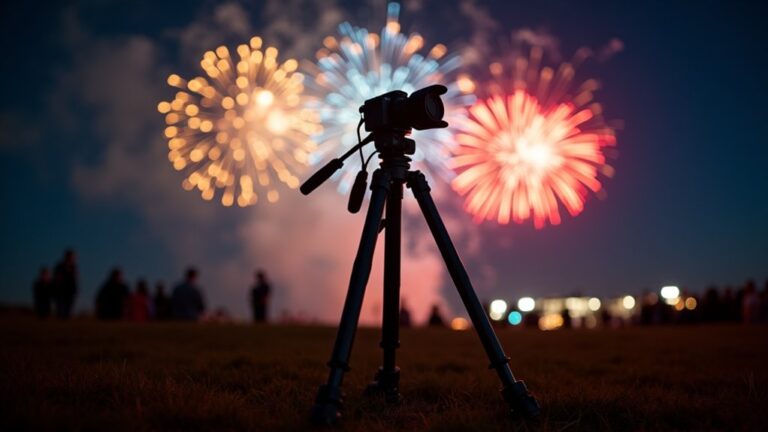
To photograph fireworks with your smartphone, arrive early to find a spot with no obstructions. Use a tripod to stabilise your camera, turn off the flash, and set a low ISO. Timing is key; shoot as the bursts peak and watch the bright trails to help anticipate the next explosion. After taking your shots, edit them to enhance colour and clarity. Steer clear of auto settings, as they can ruin your photos. If you want to truly capture the magic of these displays, there’s plenty more to learn!
Key Takeaways
- Arrive early to secure a prime spot with a clear view and interesting foreground elements.
- Use a tripod to stabilise your smartphone and set it to low ISO and night mode.
- Anticipate firework bursts by watching for patterns and press the shutter at peak moments for the best shots.
- Edit your photos afterwards by adjusting colour vibrancy, exposure, and cropping for improved composition.
- Avoid common pitfalls like relying on auto settings and cluttering the frame to enhance photo quality.
Choosing the Right Location

When photographing fireworks, selecting the right location is crucial for capturing impressive images. Aim to arrive at least an hour early to secure a prime spot.
Look for any obstructions, such as trees or buildings, that could block your view. Choose locations with open skies to ensure you can capture the full bursts without any clipping.
Elevated areas, like hills, provide a broader perspective free from ground-level distractions. Incorporating interesting foreground elements, such as bridges or reflections in water, can enhance your compositions. Additionally, consider using a tripod or stabilizer to maintain stability and achieve sharp images during those spectacular bursts of colour.
Lastly, ensure the location is accessible and offers a steady, level surface for your tripod or smartphone stabiliser, which is vital for sharp images during those spectacular bursts of colour.
Preparing Your Smartphone
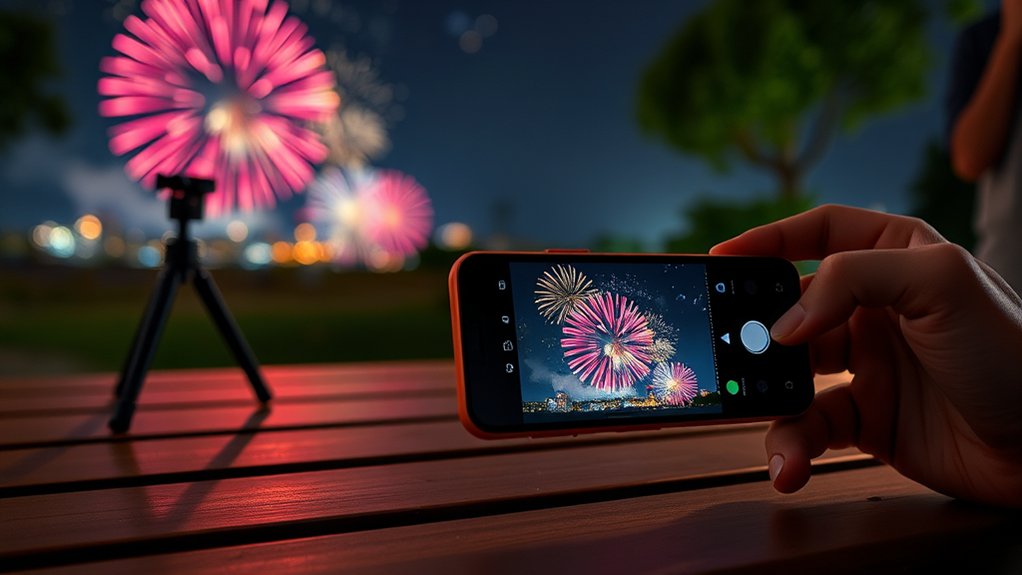
Preparing your smartphone for fireworks photography is key to capturing impressive images. Start by getting a sturdy tripod and phone mount to reduce shake. If you’re filming, consider using stabilisers for smoother footage. Additionally, investing in a good tripod aids in achieving professional-quality shots to enhance your photography experience.
Next, adjust your camera settings: disable the flash, set a low ISO, and lock the focus on the fireworks. Use features like night mode and burst mode to improve your shots.
Also, download photography apps that offer manual controls and tips specifically for capturing fireworks.
Lastly, ensure your battery is fully charged and that there’s enough memory space, so you won’t miss any of the spectacular display.
Setting Up Your Camera

To capture stunning fireworks photos, start by selecting a prime location with an unobstructed view of the sky.
Next, stabilise your camera on a tripod or a sturdy surface to avoid any shake during long exposures.
Finally, adjust your camera settings to ensure you’re ready to capture the vibrant bursts against the night sky. Remember to turn off HDR to avoid blurriness from multiple exposures.
Choose Optimal Location
Choosing the right spot to photograph fireworks is key to getting great shots. Start scouting for your location at least an hour before the display to secure a good view.
Look for places that offer an unobstructed line of sight to the launch area, steering clear of trees and buildings that could block your view. Including interesting background elements, like iconic landmarks or a river, can add depth to your images.
If you can, aim for a higher vantage point – it not only gives you a better view but can also help you see above the crowds. Don’t forget to check the wind direction to avoid smoke that could ruin your shots.
Lastly, ensure your chosen spot is safe and easily accessible, making your wait for the spectacular show more enjoyable.
Stabilize Your Device
Once you’ve found the ideal spot for your fireworks shoot, the next step is to stabilise your device for the best possible images.
Here are some effective strategies to eliminate shake and ensure clarity:
- Use a smartphone tripod to keep your device steady.
- Consider a phone stabiliser or gimbal for smooth operation.
- Lean your device against solid surfaces like railings for extra support.
- Brace your elbows against your body when shooting handheld.
- Avoid using one hand for long exposures to reduce the risk of blurriness.
Adjust Camera Settings
Getting your camera settings right is crucial for capturing impressive fireworks photos.
Begin by switching off your smartphone flash to avoid unwanted overexposure. Tap and hold the screen to lock the brightness after the first burst for proper exposure adjustments.
If your camera allows, set a low ISO (100-200) to reduce noise. For focus, lock onto the sky where the fireworks will explode to prevent blurry images.
If possible, use manual focus set to infinity and disable autofocus for consistent sharpness. Steer clear of HDR mode, as it can compromise detail.
Lastly, choose a smaller aperture (f/8 to f/16) to balance brightness and depth, ensuring every burst stands out beautifully against the night sky.
Locking Focus and Exposure

To capture the stunning beauty of fireworks, it’s crucial to lock focus and exposure. This technique ensures sharpness and prevents your camera from constantly readjusting, leading to consistent image quality.
Here are some straightforward tips to help you:
- Tap and hold on a bright firework burst to lock your settings.
- Look for an indicator that confirms your focus and exposure are secured.
- Only release your finger after capturing the shot to maintain stability.
- Avoid releasing mid-show to ensure your images remain consistent.
- Test the locking feature beforehand using a bright light source.
Timing Your Shots

Timing your shots for fireworks photography relies on precise clicks. As fireworks shoot up, they leave a glowing trail for about half a second before bursting. This is your perfect moment to press the shutter—just as the firework peaks.
Different fireworks have varying sizes and durations, so getting to know their patterns will improve your anticipation. By observing the sequence, you can better predict the ideal moment for that perfect shot.
To practice, try photographing fireworks videos in a dark room to mimic real conditions and sharpen your timing skills.
Lastly, use visual cues—watch that bright trail closely for your cue to click.
Using Burst Mode Effectively

When photographing fireworks, using burst mode can significantly improve your chances of capturing impressive shots. This feature enables you to take a series of rapid consecutive images, which increases the likelihood of catching those spectacular explosions.
Here are some straightforward tips to make the most of burst mode:
- Activate burst mode just before the firework reaches its peak for the best shots.
- Keep your smartphone steady or use a tripod to avoid motion blur.
- Lock your focus and exposure to ensure consistent quality across your photos.
- Clear some storage space beforehand to avoid running into issues with large files.
- After your shoot, review the burst images to pick out the clearest ones.
Enhancing Image Quality

Burst mode is great for capturing a series of exciting fireworks shots, but enhancing image quality will elevate your photography.
First, make sure to stabilise your camera; using a tripod or a steady surface will help prevent shake during long exposures. If you don’t have a tripod, simply brace your smartphone against something solid.
Lock your exposure and focus on infinity to keep everything sharp throughout the display. Lower your ISO to minimise noise, and consider using night photography settings to capture more light without overexposing.
Try out manual controls for ISO and shutter speed to achieve the best results. Timing your shutter release just before a firework bursts can add dramatic flair, ensuring your images are vibrant and clear every time.
Post-Processing Your Photos

Once you’ve captured those stunning fireworks shots, the next step is post-processing to enhance their impact.
Begin by selecting your best images; review them and keep only the most striking bursts and compositions. Discard any test shots or photos with little fireworks activity.
Next, focus on colour adjustments to elevate your images:
- Adjust exposure for brightness without losing detail.
- Modify contrast to make colours stand out.
- Fine-tune white balance for more natural tones.
- Carefully increase saturation to avoid unnatural hues.
- Use shadow and highlight sliders to reveal details.
These adjustments will ensure your fireworks photos truly shine, capturing the magic of the moment beautifully!
Common Mistakes to Avoid

When photographing fireworks, relying on automatic settings can result in washed-out images and missed chances for stunning shots.
Additionally, overcrowding the frame often leads to beautiful bursts being cut off, leaving you with incomplete captures.
To truly capture the magic of the display, take control of your settings and composition for the best results.
Relying on Auto Settings
Many photographers underestimate the difficulties of using auto settings on their smartphones during fireworks displays.
While it may seem easy, relying on auto can lead to disappointing results because of smartphone limitations.
Here are some common pitfalls to avoid:
- Auto settings often misjudge lighting, resulting in under- or over-exposed images.
- Rapid changes in the scene cause exposure fluctuations, leading to inconsistent results.
- Auto modes struggle with bright explosions, risking over-exposed highlights.
- You lose manual control over ISO, shutter speed, and focus, which are crucial for capturing fireworks effectively.
- Flash may activate unnecessarily, ruining your shot.
To get the best results, consider switching to manual settings and taking charge of your photography.
Overcrowding the Frame
While it may be tempting to capture every aspect of a fireworks display, overcrowding the frame can diminish the moment’s beauty. Too many competing elements create visual clutter, making it difficult to appreciate the stunning bursts above.
Strive for balance by minimising distractions in the foreground and allowing each firework room to shine. This enhances clarity, showcasing the vibrant colours and shapes.
Instead of photographing every explosion, focus on a few key bursts for a more dramatic impact. A simple composition, perhaps with a darker or less busy background, keeps the fireworks as the focal point, ensuring your photos convey the excitement of the display without overwhelming the viewer.
Tips for Creative Compositions

To capture stunning fireworks photographs, go beyond just the bursts of colour lighting up the night sky; creative compositions can truly elevate your images.
Here are some straightforward tips to enhance your shots:
- Include foreground silhouettes of spectators for emotional impact.
- Look for reflections in water or glass to create symmetry.
- Experiment with multiple exposures to capture more than one burst in a single frame.
- Use compositional techniques like the rule of thirds to position fireworks off-centre.
- Frame your shots with natural elements such as trees or bridges for added context.
Frequently Asked Questions
What Smartphone Apps Are Best for Capturing Fireworks Photos?
To capture stunning fireworks photos, opt for apps that feature night mode and adjustable exposure settings. Slow Shutter Cam and Lightroom Mobile are excellent choices, allowing you to enhance your images and create vibrant visuals that pop against the night sky.
Can I Photograph Fireworks With Older Smartphone Models?
Yes, you can photograph fireworks with older smartphone models, but you may face some limitations. The lack of manual controls and lower performance in low light can make it tricky to capture great shots. You might need to be a bit creative and patient to get the best results. For instance, try using a steady surface to keep your phone still, or capture the bursts at the peak of their brightness.
How Do Weather Conditions Affect Fireworks Photography?
Weather conditions have a significant impact on fireworks photography. Wind can cause blurring in your shots, while high humidity may lead to muted colours. To capture clearer and more vibrant images, it’s essential to plan around these factors. For example, try to shoot on calm evenings with low humidity for the best results. This preparation can greatly enhance your overall photography experience.
Should I Shoot in RAW Format for Better Editing Options?
Shooting in RAW format can really enhance your editing options. It allows you to capture more detail, making it easier to bring out the vibrancy in your images, like those stunning fireworks shots. Adjust your smartphone settings to make the most of this format for better results in post-processing.
What Time of Year Is Best for Fireworks Photography?
The ideal time for fireworks photography in the UK is during summer festivals and key celebrations. Events like Bonfire Night and New Year’s Eve provide spectacular displays, while other national holidays create fantastic opportunities to capture stunning moments lighting up the night sky.
Conclusion
Capturing impressive fireworks photos with your smartphone is completely possible! Don’t worry about low quality; modern smartphones have great camera features. To get the best shots, choose a good location, prepare your device, and time your captures well. For instance, try to find a spot with a clear view of the sky and avoid using the flash. Remember, practice is key, so get out there and give it a go! With a bit of patience and creativity, you’ll create memories as bright as the fireworks themselves.